Understanding the Roxencombe Information Environment
The Roxencombe platform provides a framework for organising and reviewing structured digital information. This page explains the structure of the platform, what users can expect to find, and the scope of available information.
What the Platform Presents
Roxencombe is designed to present information in an organised, consistently formatted environment. Information within the platform is divided into categories, each with its own labelled section and navigable hierarchy. Rather than displaying information as an undifferentiated list, the system applies a classification layer that groups related items together and establishes clear parent-to-child relationships between topics.
The visible interface reflects the underlying classification: section headers indicate category names, nested items reveal sub-categories, and summary panels provide quick access to key details without requiring users to drill through every level of the hierarchy. The presentation is designed to be predictable, so that returning users can locate information consistently.
The platform is an informational resource. It does not execute external processes, manage external accounts, or interface with unrelated third-party systems as part of its standard information display.
Information Architecture and Navigation
The architecture separates the platform into three broad areas, each serving a distinct purpose within the overall information-organisation system.
Category Hierarchy
Top-level categories represent the broadest classification groupings. Within each, second-level sub-categories narrow the scope to specific topics. Navigating between levels is supported by breadcrumb-style indicators and a persistent category panel accessible from every view.
Reference Index
A cross-reference index allows users to locate information by term or by concept, independent of the category hierarchy. This is useful when a topic appears in more than one category or when the user is uncertain where to begin browsing.
Summary Views
Each category and sub-category includes a summary panel that condenses the most relevant details into a brief overview. Users can read the summary to assess relevance before committing time to a full review of the contents.
Access and Permissions
Some sections of the platform require access confirmation before they become visible. Users who have submitted and received approval for an access request will find these sections unlocked when they return. The access-request process is described on the enquiries page.
What to Understand Before Accessing the Platform
The information available through Roxencombe is drawn from sources that the platform's organisation system has classified and formatted. The platform does not independently verify every piece of source information, and users should apply their own judgement when assessing the relevance or currency of any particular item.
Certain categories may be updated periodically. Where update frequency is material to a user's purposes, the support team can advise on how often a particular section is reviewed. No guarantee of completeness or real-time accuracy is offered or implied.
Contact the Support Team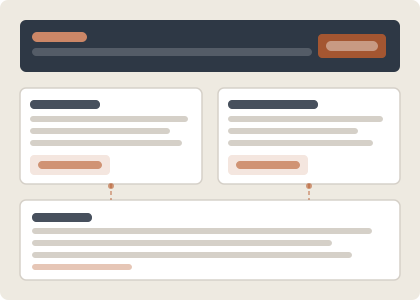
Frequently Asked About the Platform
The questions below address topics that users commonly raise when reviewing the Roxencombe platform for the first time.
-
What kind of information is organised within the platform?
The platform arranges several categories of digital information, including structured data overviews, reference documentation, and service-specific records organised for methodical review. The precise scope of available categories depends on the access level associated with a user's request.
-
How is information classified within the interface?
Information is assigned to categories based on a set of classification criteria established for the platform. Each item carries at minimum a primary category label and a sub-category indicator. The classification layer is applied consistently, meaning that similar items will always appear within the same part of the hierarchy.
-
Is an account required to view any part of the platform?
General overview information and navigation documentation are accessible through this website. Access to the full classification interface, including detailed category contents, typically requires an approved access request. The process is described on the enquiries page.
-
How current is the information in each category?
Categories are reviewed and updated at intervals that vary by section. The platform does not offer live or real-time data. Where the currency of information is important for a particular use case, the support team can advise on the review schedule for relevant sections.
-
What should I do if the information I need is not clearly categorised?
The reference index provides an alternative way to locate information by term or concept, independent of the main category hierarchy. If a relevant item cannot be found through either the hierarchy or the index, submitting an enquiry is the most reliable next step.
Explore Further
Site Overview
Return to the homepage for an introduction to the platform and its purpose.
FunctionsPlatform Functions
See a detailed breakdown of the information-handling capabilities the platform provides.
EnquiriesSubmit an Enquiry
Contact the support team or submit an access request using the enquiries form.